Instructions
Quick guide on how to edit your template
How to edit svg icons?
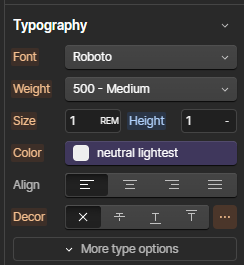
To change the color of SVG icons inside a Code Embed element, adjust the text color in the Typography settings of the parent element.
How Access Navbar Menu?
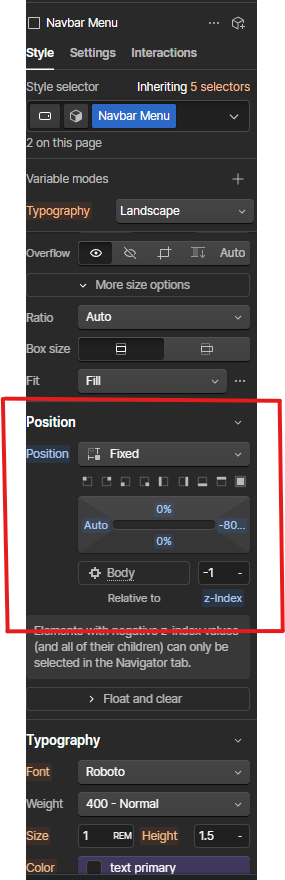
To access the navbar menu, change its right margin in the Position settings from -80vw to 0.
GSAP
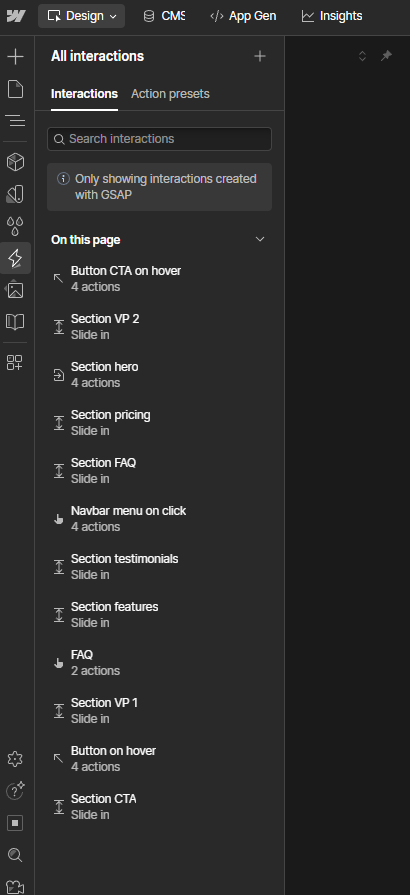
Click the Interactions panel (lightning bolt icon) on the left.
You will see a list of all GSAP interactions used in the template.These include:
• Slide-in animations that trigger when sections scroll into view
• Button hover animations
• Button and menu click animations
To edit an interaction, click on it and adjust its properties.
To disable an interaction, simply delete it from the list.